Content Strategy
Create what your audience needs next.
Turn your archive, audience questions and market research into a focused content brief. Give your AI the evidence to develop your next idea with purpose.
Plans & setup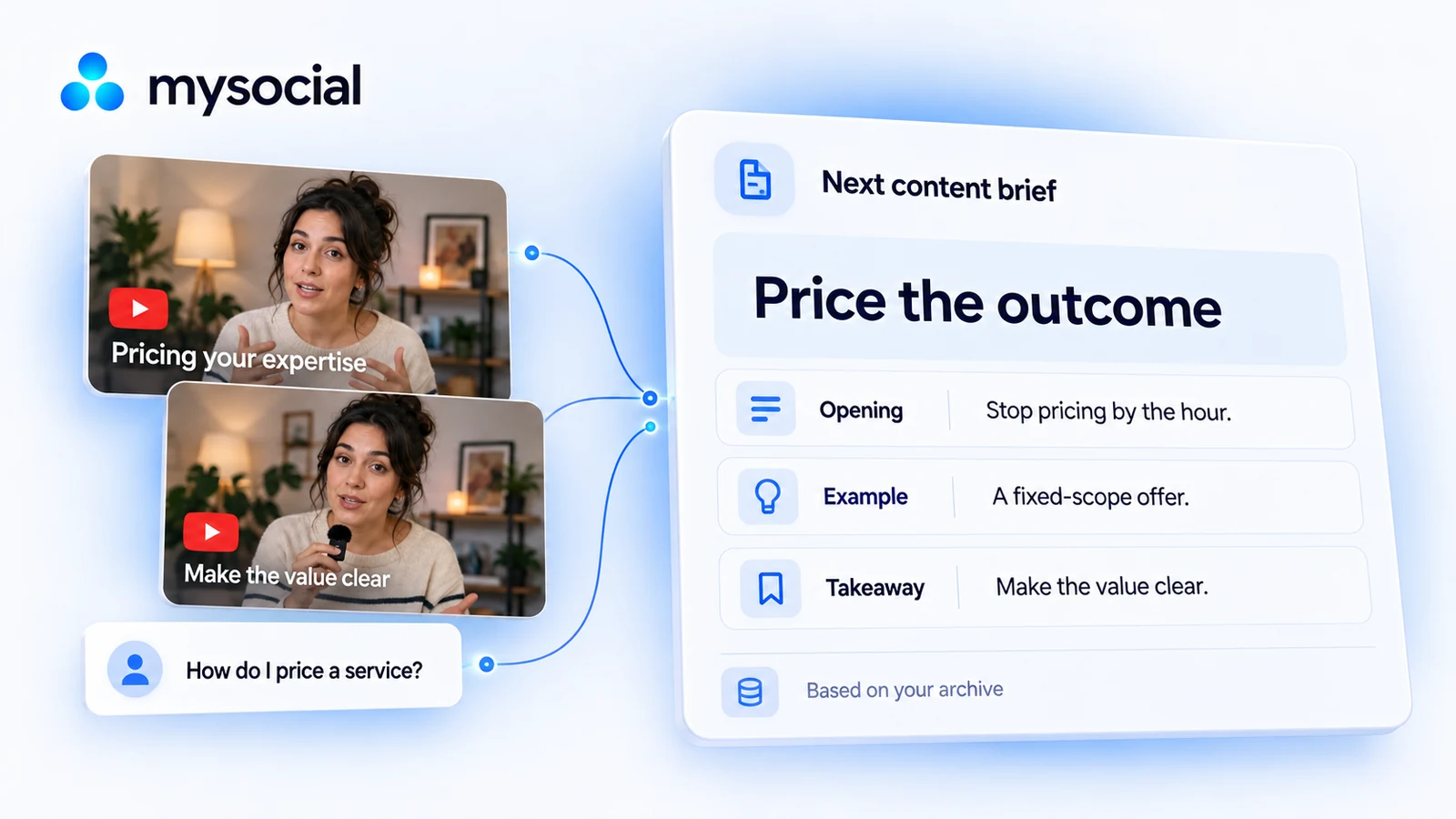
Your content
From pricing questions to a lesson.
A business educator turns pricing posts and audience questions into a brief for a lesson on pricing outcomes.
Pricing lessons & audience questions
Use my pricing posts and audience questions to build a brief on pricing outcomes. Cite the sources.
Price the outcome.
Opening: stop pricing by the hour
Relevant posts, audience questions and observed patterns, with sources to open.
Example: a fixed-scope offer
A pricing lesson that fits your expertise and answers a specific question.
Takeaway: make the value clear
An opening, example and takeaway, ready for you to develop and test.
See the question behind the topic
Build on your own expertise
Put market research to work
Content Memory The patterns behind your content.
Connect your archive so Mysocial can understand the content, audience questions and patterns behind your work. Your AI can use that memory when you plan your next piece.
Explore Content Memory in ProductSocial Media Analytics Your performance, in context.
Read available channel and post performance across your connected accounts. Compare similar posts and keep the time period and available metrics clear before drawing a conclusion.
Explore Social Media Analytics in ProductCreator Universe See what is working in your market.
Research content around a topic, explore posts that outperform their baseline and read the audience language behind them. Save useful evidence into Ideas for your own work.
Explore Creator Universe in ProductIdeas Keep ideas and their sources together.
Save thoughts, links and imported source material in a living idea library. Your assistant can find those notes, develop a brief and save an edited draft alongside its context.
Explore Ideas in ProductBrand Studio Your voice, audience and offers.
Define your brand identities, creative formats, products and reference documents. Give your AI the context for the brand you are working on before asking it to draft.
Explore Brand Studio in ProductMysocial MCP
Your context.
Your choice of AI.
Bring your content, research and relationships into the conversation.
Explore the AI connection One memory.
The details
Good to know.
What do I need to get started?
Content Memory and market research require a plan with the relevant intelligence and research access. Your AI account also needs connector access.
Does this predict how my next post will perform?
It supplies evidence for your decision. You choose the idea, create the piece and test its response.
What if my content memory is still building?
Use the analysis that is ready, or wait. Ask your assistant to explain what it has read and what is missing.
Can agencies use this for client work?
Use the channels and brand context in your selected workspace. Name the client, their goals and the sources to use.
Make the next idea an informed one.
Connect your content and ask for a brief with sources you can inspect.