Content Repurposing
One interview. Your next week of content.
Turn a founder interview into a LinkedIn post, carousel copy and a spoken script. Your AI works from the transcript and your voice, with sources to review.
Plans & setup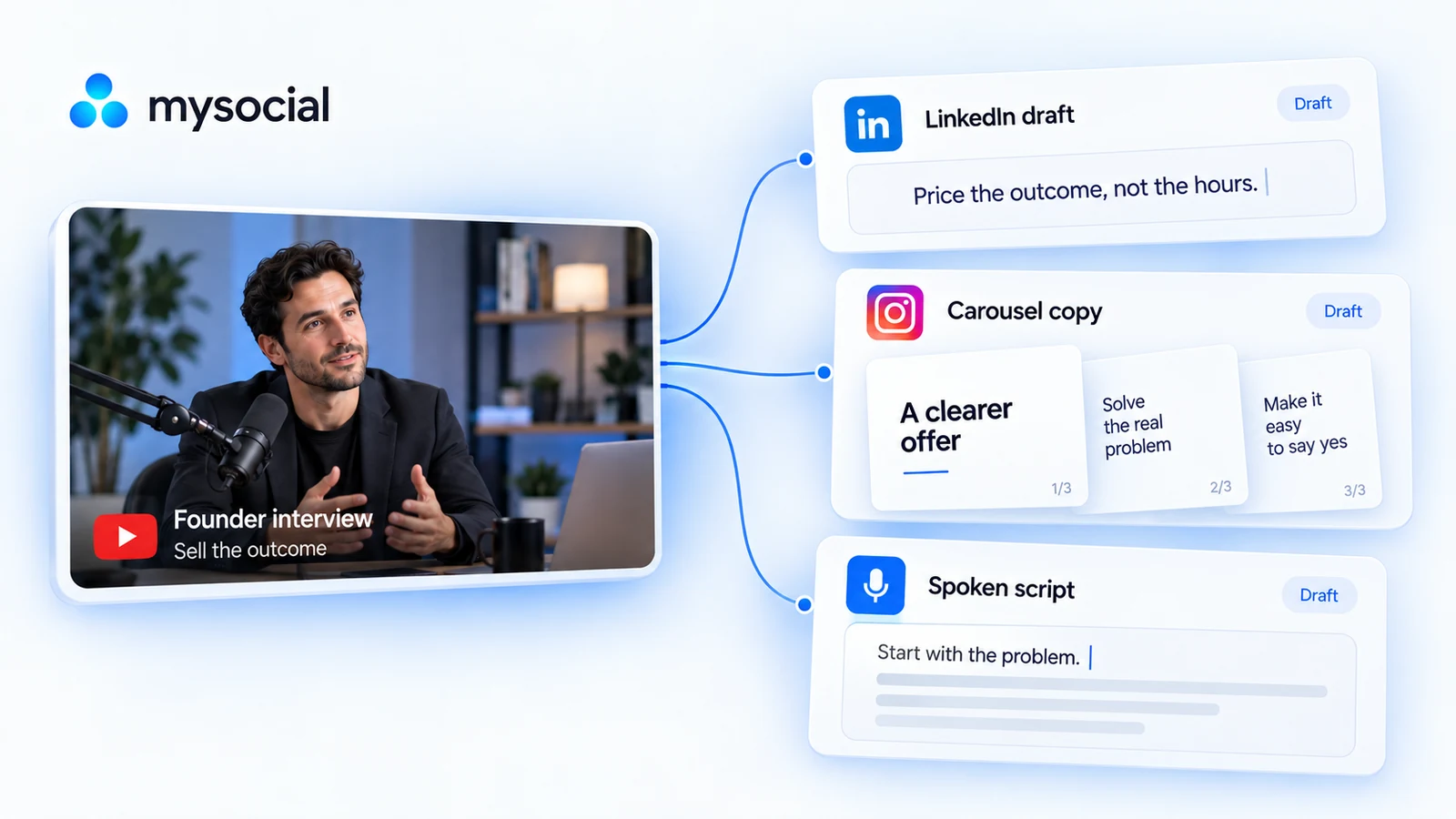
YouTube interview
One founder interview. Three distinct drafts.
A founder interview about selling outcomes becomes three drafts, each teaching a different lesson from the transcript.
Sell the outcome
Read my founder interview. Draft a LinkedIn lesson, five carousel slides and a spoken script, each with a different angle.
A pricing lesson, adapted to three formats.
LinkedIn: price the outcome, not the hours
A post draft with a specific opening and an example from your interview.
Carousel copy: explain a clearer offer
Slide copy, a caption and visual suggestions that explain a different source idea.
Spoken script: start with the problem
A spoken draft and simple shot list built around one supported lesson.
Keep the substance
Sound like yourself
Give every draft its own job
Content Memory The patterns behind your content.
Connect your archive so Mysocial can understand the content, audience questions and patterns behind your work. Your AI can use that memory when you plan your next piece.
Explore Content Memory in ProductIdeas Keep ideas and their sources together.
Save thoughts, links and imported source material in a living idea library. Your assistant can find those notes, develop a brief and save an edited draft alongside its context.
Explore Ideas in ProductSmartlink Better links to your social content.
Create a short link for supported social URLs, route visitors toward the native app when supported and read the available click analytics.
Explore Smartlink in its overviewMysocial MCP
Your context.
Your choice of AI.
Bring your content, research and relationships into the conversation.
Explore the AI connection One memory.
The details
Good to know.
What do I need to get started?
Free to create an account. The YouTube workflow requires a plan with video-transcript access and an AI account with connector access.
Can I use Claude or ChatGPT?
Yes. Connect Mysocial so your assistant can read the available source content. The linked walkthrough uses Claude.
What do I receive?
Editable text in your AI conversation: post drafts, carousel copy and spoken scripts. You design, record and publish the pieces.
Do I need to connect every output platform?
The YouTube transcript is enough. Connected LinkedIn and Instagram posts add examples of your writing and recent topics.
What if the source is short or the transcript is missing?
Use fewer drafts if the source supports fewer ideas. Choose another video or wait when its transcript is unavailable.
Make more of the ideas you already have.
Connect your content and turn one useful source into your next drafts.