Skip to content
Creator appsResearched from official sources
The creator app comparison

ChatGPT vs Claude

Choose around the work you need to finish: a script grounded in your transcript, a reusable brand brief, a researched idea or a visual asset. Compare the tools, shared context and review process that each workflow needs.

ChatGPT

Drafting, research, supplied-file analysis and supported image generation.

Free access
Free plan with usage and feature limits
Compare the cost by
Individual plan or workspace seats; additional usage where available
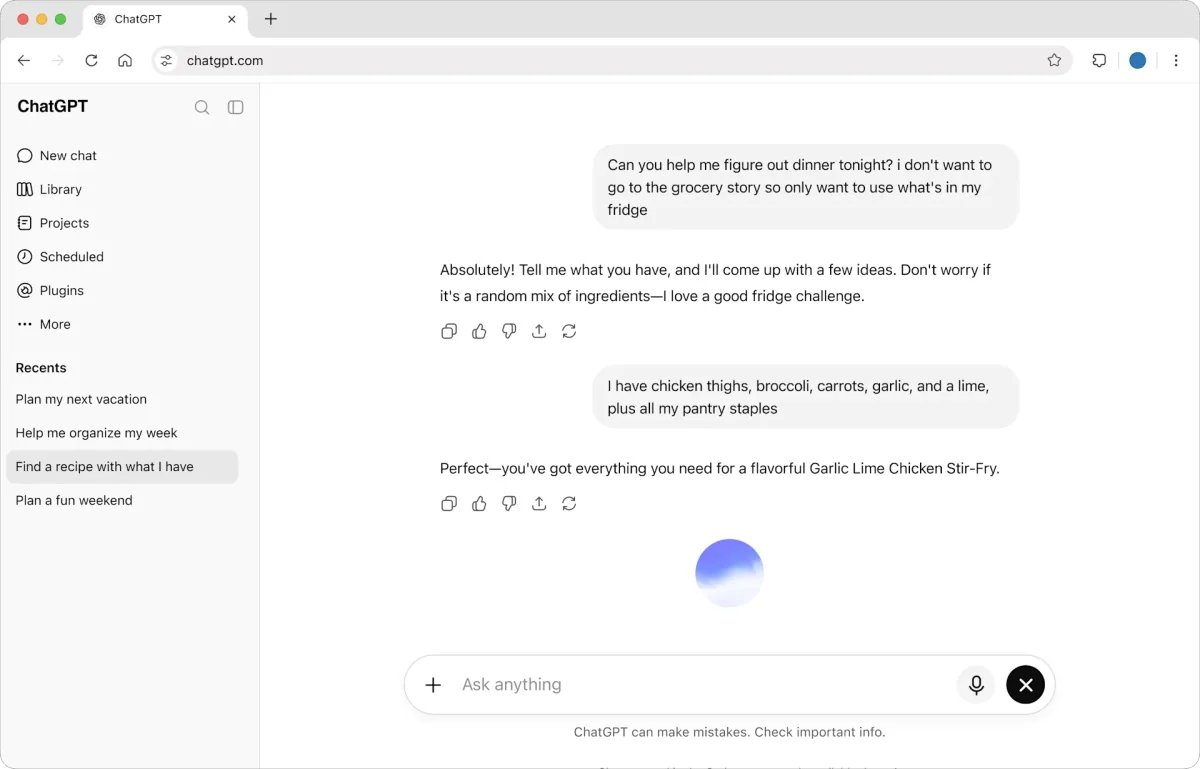
Official ChatGPT conversation preview
Chat with ChatGPT Official preview

Claude

Writing, research, project knowledge and editable artifacts.

Free access
Free plan with usage and feature limits
Compare the cost by
Individual plan or workspace seats; higher usage tiers
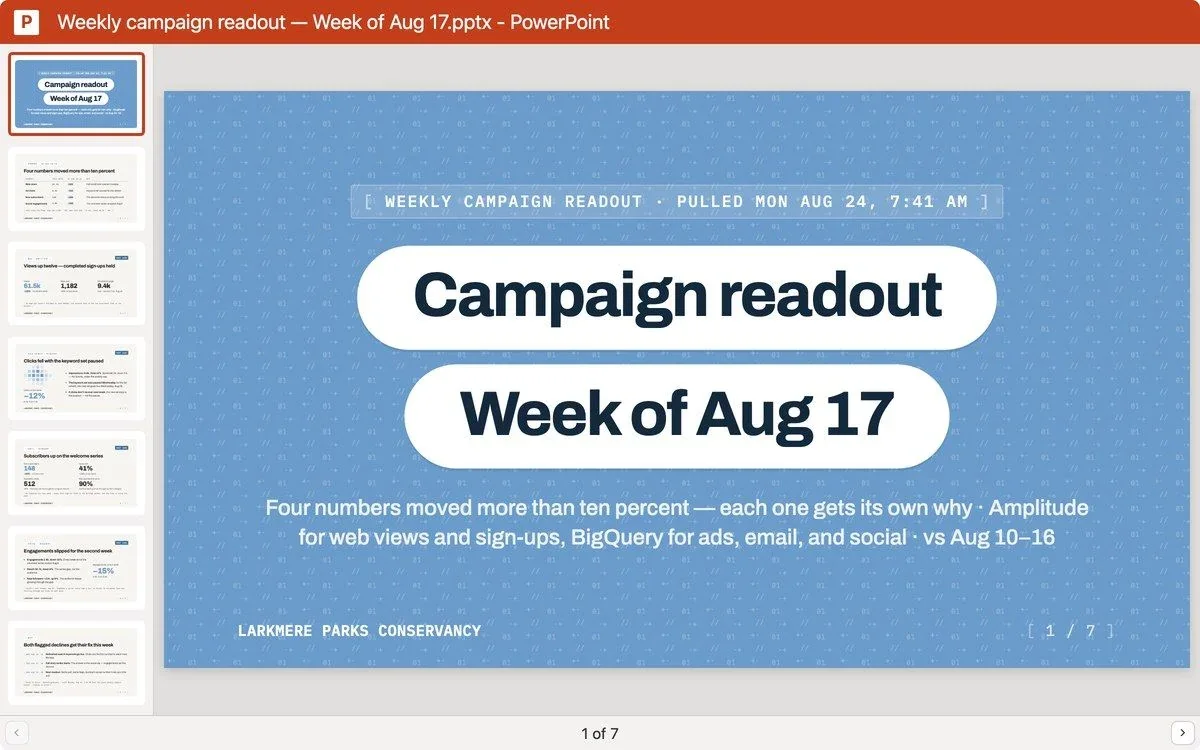
Vendor example of a campaign readout produced with Claude
Claude campaign readout example Official preview
The quick decision

Start with the job.

These recommendations interpret the documented workflows below. Neither app is the universal winner.

ChatGPT

Evaluate ChatGPT when the brief includes image assets

If one content batch needs a script, an editable planning document and a generated or revised image, ChatGPT’s documented image and file tools make it a sensible candidate. Check that those tools are available in your account and chosen surface. This is a workflow recommendation; we have not compared image quality or first-draft writing quality.

Based on [5] [4]
Claude

Evaluate Claude for a reusable brief you keep revising

If your core job is turning supplied material into a structured brief, script or research document, try a Claude project with your examples and instructions, then revise the result as an artifact. The reason to evaluate it is that context-and-review workflow. Both assistants can draft text; this is not a claim that Claude writes better.

Based on [9] [10]
Side by side

What changes in your workflow?

Features are documented capabilities, subject to the relevant plan and platform requirements.

On a small screen, scroll across to compare both apps.

Documented differences between ChatGPT and Claude, checked 3 October 2026
Your decisionChatGPTClaude
Starting without a subscription [2] [7] [8] [14] [10] [13]Free and paid plans. Work and tool availability depend on your plan, rollout and workspace settings; a Free account does not establish access to every workflow.Free and paid plans. Artifacts and a limited custom-connector setup are available on Free; paid tiers expand usage and add capabilities such as Research and artifact templates.
Scripts, captions and briefs [1] [8] [10]Draft and revise scripts, captions and briefs from notes or supplied files. Chat supports back-and-forth; Work carries larger tasks through to a reviewable deliverable.Write and edit content from your supplied material. An artifact can hold a reusable brief or document that you revise alongside the conversation.
Reusable brand context [3] [9]Projects keep related chats, source files and instructions together. Upload or connect the brief and examples you want reused; a cloud project does not automatically read local folders.Projects reuse uploaded knowledge and instructions. The help guide currently allows five projects on Free; paid plans add expanded project knowledge capacity. Put shared context in project knowledge.
Reviewing and reusing the output [4] [10]Work can create documents, presentations, spreadsheets and PDFs. Web supports file review and download; desktop adds previews and targeted annotations for supported formats.Artifacts open beside the chat for editing and sharing. Chat-created artifacts are available on Free; Docs, Slides and Design templates are paid beta features with separate capability settings.
Creating visual assets [5] [11]Generate or edit images, including from a reference asset. Availability and usage depend on the surface, plan and workspace settings.Analyze uploaded images and create HTML/SVG diagrams or interactive visuals. Claude documents that it does not generate photos or illustrations like an image-generation tool.
Current research and sources [6] [12] [13]Web search can provide current sources. Deep research in Work is available where enabled for your account/workspace, with a report and source links to review.Web search provides cited current information where enabled. The separate multi-step Research feature requires a paid plan and web search access.
Connected tools and account data [7] [14]Installed plugins can provide authorized data and supported actions across web, desktop and mobile. Some plugins require desktop; account and workspace permissions still apply.Custom remote MCP connectors can supply authorized tool data and actions. Free is limited to one custom connector; organizational setup and each service’s permissions control access.
Understand the bill

Compare the subscription you need.

An entry price is only useful after you match the features, capacity and access in your actual routine. Amounts vary by billing term, currency and taxes; check the linked official plans for current totals.

ChatGPT: budget for the workflow, not just chat access

Start with the current individual or workspace plan, then check access to your intended tools. OpenAI documents shared usage between Work and Codex, with additional credits available on eligible plans. Image generation has its own availability and consumption boundaries. API billing is separate. A month of short caption edits and a month of research plus visual production may use the allowance differently.

Sources [2] [5]

Claude: distinguish Free artifacts from paid extras

Free can be useful for a first drafting evaluation, but it does not include every workflow in this guide. Research requires a paid plan; artifact templates are paid beta features; Free custom connectors are limited to one. Check the plan and capabilities your actual process needs, then evaluate your representative workload within its usage limits.

Before moving your workflow

Check the edges, too.

A strong draft still needs your source material

Give either assistant the transcript, approved product claims and voice examples you want used. Project context helps organize those inputs, but it does not establish that a draft is faithful to them. Ask it to distinguish source-backed statements from new ideas, and verify quotations, numbers and timestamps against the original before publishing.

Sources [3] [9]

The visual deliverable changes the choice

A photo-style thumbnail, an editable diagram and a finished short video are different outputs. ChatGPT documents image generation and editing; Claude’s image guide describes analysis and HTML/SVG visuals rather than photo generation. Specify the final file and editing steps you need. These facts do not establish video editing, rendering or social publishing capability.

Sources [5] [11]

Connecting a tool does not provide every account insight

A plugin or MCP connector exposes the data and actions that its service supports and your account permits. Check the actual returned fields and history before requesting an analysis. Keep approval for external actions separate from permission to read. Your assistant plan, the connected service’s subscription and its data coverage can each limit the workflow.

Sources [7] [14]
Make the decision concrete

Try one creator brief in both assistants.

Use material you have permission to share, and compare the finished work against the same acceptance criteria.

  1. Prepare the same source packet. Include a real transcript, three approved voice examples, the audience and the claims the draft must preserve. Keep the target format identical.
  2. Request a concrete content batch. Ask for a short-video script, two caption variations and a reusable brief. Require source references for factual claims and labels for newly suggested ideas.
  3. Review one revision and one export. Give both the same specific feedback. Check whether the final document or artifact preserves your voice, can be reused in your next tool and keeps claims grounded in the source.
  4. Test the capability that determines your choice. If you need an image asset, evaluate that output separately. If connected account analysis matters, inspect one authorized retrieval and confirm the fields, dates and permissions before relying on it.
  5. Record the whole cost and remaining steps. Check the assistant tier, connected-service charges and usage consumed by that batch. Note the editing, approval and publishing steps that still require your other tools.

This is a suggested evaluation process. We have not run a hands-on test or measured reliability, output quality or support for this guide.

A few useful answers

Questions before you choose

Is ChatGPT or Claude better for my brand voice?

We do not have a controlled writing-quality result for that. Both let you supply instructions and source context. Give each the same approved examples, request the same deliverable and compare how much correction it needs for your voice and factual standards. Save the useful rules in project context instead of repeatedly rebuilding the brief.

Sources [3] [9]
Can I use either assistant with my real creator data?

Yes, by supplying relevant files or using an authorized integration that exposes the information you need. OpenAI plugins and Claude custom connectors support connected tools, but availability and permissions differ. For a Mysocial connection, also check the supported account, the data returned and the entitlement required for the requested insight. A connection is not a promise of unlimited history or automatic posting.

Sources [1] [7] [14]
Can I research topics on the Free plans?

Web search and the deeper research workflows are different features. Check the current account and workspace availability of ChatGPT search and Deep research. Claude documents web search separately from its paid Research feature. For either product, open the cited sources and verify they support the claim you intend to use.

Check the original

Official sources

First-party product and help pages checked 3 October 2026. Plan names and feature boundaries can change. Source-based recommendations are our interpretation; no vendor performance ratings are assigned.

  1. OpenAI: using Chat and Work
  2. OpenAI: plans, Work usage and credits
  3. OpenAI: projects and shared sources
  4. OpenAI: creating and reviewing files
  5. OpenAI: image generation and editing
  6. OpenAI: web search and deep research
  7. OpenAI: plugins and supported surfaces
  8. Anthropic: Claude plans and features
  9. Anthropic: project knowledge and Free limits
  10. Anthropic: artifacts and template access
  11. Anthropic: image analysis and visual boundaries
  12. Anthropic: web search and citations
  13. Anthropic: paid Research access
  14. Anthropic: custom remote MCP connectors