
10 Must-Have Tools Every Influencer Needs
The best tools for influencers to create content, find sponsors, grow followers, and manage social media like a pro.


Quick answers
Buffer offers the best free tier — 3 channels, 10 scheduled posts each, auto-publish to TikTok, Instagram, YouTube, and more. MySocial is free for creators who need cross-platform analytics, media kits, and brand discovery alongside scheduling.
Buffer ($6/channel) or MySocial (free) for solo creators. Buffer handles scheduling and cross-posting. MySocial adds analytics, auto-updating media kits, sponsor discovery, and AI content tools — all in one platform built specifically for creators.
Entry-level tools start at $5-6/month per channel (Buffer). Mid-tier tools like Later run $25-80/month. Enterprise platforms like Hootsuite ($99/month) and Sprout Social ($199-249/month per user) are built for agencies and large teams.
Hootsuite and Buffer support 10-11+ social networks. Later supports 8 platforms with a focus on visual content. MySocial focuses on the three platforms that matter most for creators: Instagram, TikTok, and YouTube.
You do not need 11 tools to manage your social media. You need one, maybe two — the right ones for your specific situation. A solo creator posting TikToks needs a completely different tool than an agency managing 30 client accounts.
This guide cuts the list to the 8 tools that actually matter in 2026, organized by who they are built for. Every pricing figure is current and every recommendation is based on what the tool does best — not marketing copy.
$0–$249
Monthly cost range across all tools in this guide
10+
Social platforms supported by top scheduling tools
3
Channels free on Buffer's forever-free plan
50K+
Creators using MySocial for cross-platform analytics
These tools are built for individual creators who manage their own accounts and need simplicity over enterprise features.
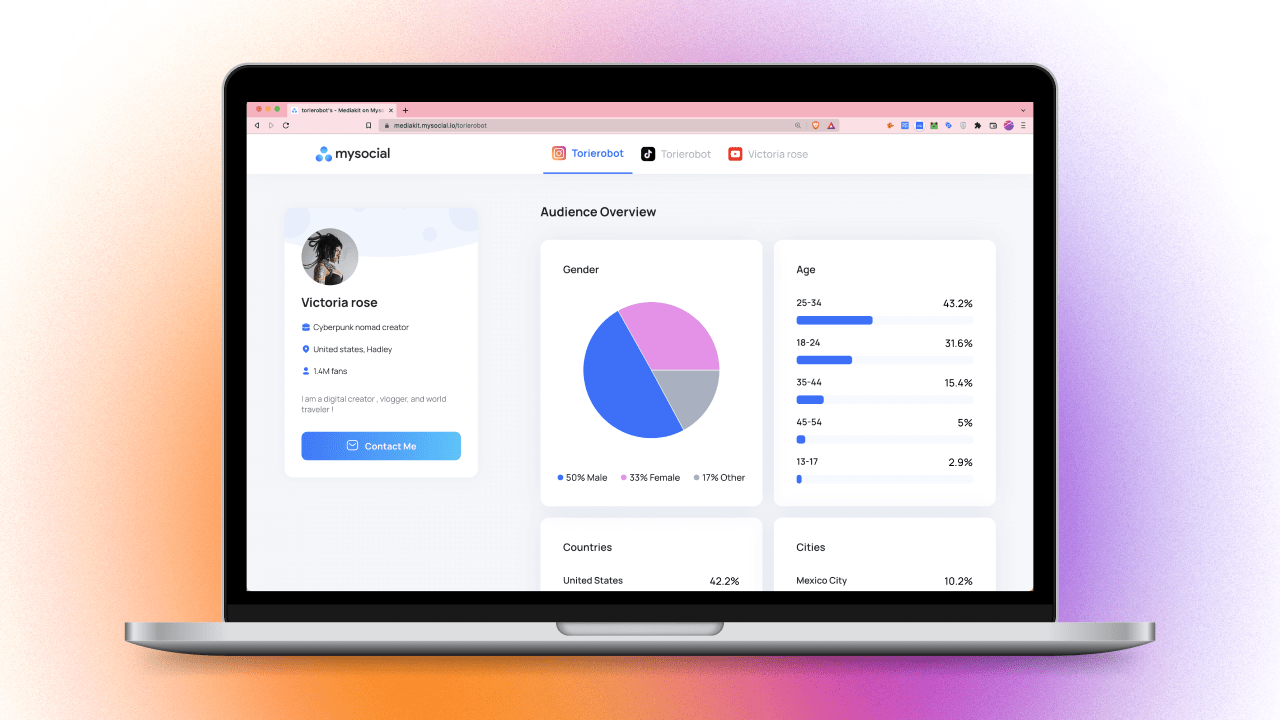
The all-in-one creator platform. Cross-platform analytics for Instagram, TikTok, and YouTube in a single dashboard. Auto-updating media kit for brand pitches. Sponsor discovery with 10K+ brands. AI content studio for hooks, scripts, and captions. SmartLink deep linking for bio links. Not a generic scheduler — a creator operating system.
The simplest scheduling tool. Auto-publish to TikTok, Instagram, YouTube, X, LinkedIn, Pinterest, and 5+ more platforms. Clean UI with no feature bloat. The free tier (3 channels, 10 posts each) is the most generous in the category. Paid tiers add analytics and engagement tools.
These tools add collaboration features, content calendars, and deeper analytics for teams of 2-10 people managing multiple brands or clients.
Visual-first content calendar with drag-and-drop scheduling. Turns your Instagram grid into a clickable landing page (Linkin.bio). Supports TikTok, Instagram, Pinterest, YouTube, X, and LinkedIn. Best for e-commerce brands and visual creators who plan content around aesthetics.
The multi-platform workhorse. Supports 10+ social networks with social listening, team governance, and customer service features. Customizable streams for monitoring trends, competitors, and brand mentions. Overkill for solo creators but essential for teams managing client accounts at scale.
Content categorization and evergreen recycling. Organize posts by content pillar, set individual schedules per category, and automatically recycle high-performing content. Auto-detects top posts for resharing. Best for teams with a large content library who want to maximize reuse.
These tools are built for teams managing 10+ client accounts with advanced reporting, approval workflows, and white-label options.
Enterprise-grade analytics, social CRM, and employee advocacy tools. Best-in-class reporting with custom dashboards and automated client reports. Social listening across all platforms. The premium price reflects premium depth — this is for agencies billing $5K+ per client per month.
Analytics-first platform with deep audience insights: geolocation, language, age, gender, and follower evolution over time. Automated social media reports and competitor monitoring. Scheduling and publishing included but analytics is the core strength. Best for data-driven agencies.
The right tool depends on three things: your team size, your budget, and what you actually need beyond basic scheduling.
1-3 platforms. You create, edit, and post everything yourself. Need analytics, a media kit, and a scheduler — not 50 features you will never touch.
3-5 platforms. Posting multiple times per week. Need deeper analytics, visual grid planning, and maybe e-commerce integration.
5-15 client accounts. Multiple team members need access. Need approval workflows, social listening, and content recycling.
15+ accounts. Need enterprise analytics, social CRM, white-label reporting, and employee advocacy tools. ROI justifies the cost at this scale.
Paying enterprise prices for creator needs — Sprout Social at $249/user is built for agencies managing Fortune 500 brands, not individual TikTok creators.
Choosing based on feature count — more features does not mean better. Pick the tool that excels at the 2-3 features you actually use daily.
Ignoring platform support — confirm your tool supports auto-publish (not just notification-based posting) for TikTok, Reels, and Shorts before subscribing.
Skipping analytics — posting without measuring is guessing. Choose a tool that shows you what is working and what is not, or pair your scheduler with MySocial's free analytics.
Start with the free tier — Buffer's free plan and MySocial cover 90% of what solo creators need. Upgrade only when you hit a specific bottleneck.
Match the tool to your role — a creator needs analytics and media kits (MySocial). A social media manager needs scheduling and client reporting (Hootsuite/Sprout). Different jobs, different tools.
Test before committing — every paid tool offers a 14-30 day trial. Set up your actual workflow during the trial, not just a test account.
Consolidate where possible — using 5 tools with overlapping features wastes time switching between them. One platform that does scheduling + analytics is better than two that each do one.
If you are a creator, start with MySocial (free — analytics, media kit, sponsors, AI content) and Buffer’s free tier (scheduling). That combination covers every workflow you need at zero cost. Upgrade individual tools only when you outgrow them.
For platform-specific tools, check our TikTok tools guide. For time management strategies that complement your tool stack, see our guide on time management for creators. And for building a content calendar that drives your scheduling, follow our content calendar guide.
Analytics, media kit, sponsor discovery, AI content studio, and SmartLink deep links — all free, all in one place. Stop switching between 5 apps.
Get started freeSocial Media Management & Operations
Related Posts
The best tools for influencers to create content, find sponsors, grow followers, and manage social media like a pro.

Build a content calendar that drives growth. Content pillars, platform-specific posting rhythm, batch workflows, and weekly review system.
Build a media kit that wins brand deals. 7 essential sections, metrics to include, rate card tips, and how to stand out from competitors.