
The Best Influencer Marketing Platforms in 2026
Compare top influencer marketing platforms by features, pricing, and use case. Find the right tool for discovery and ROI tracking.

Quick answers
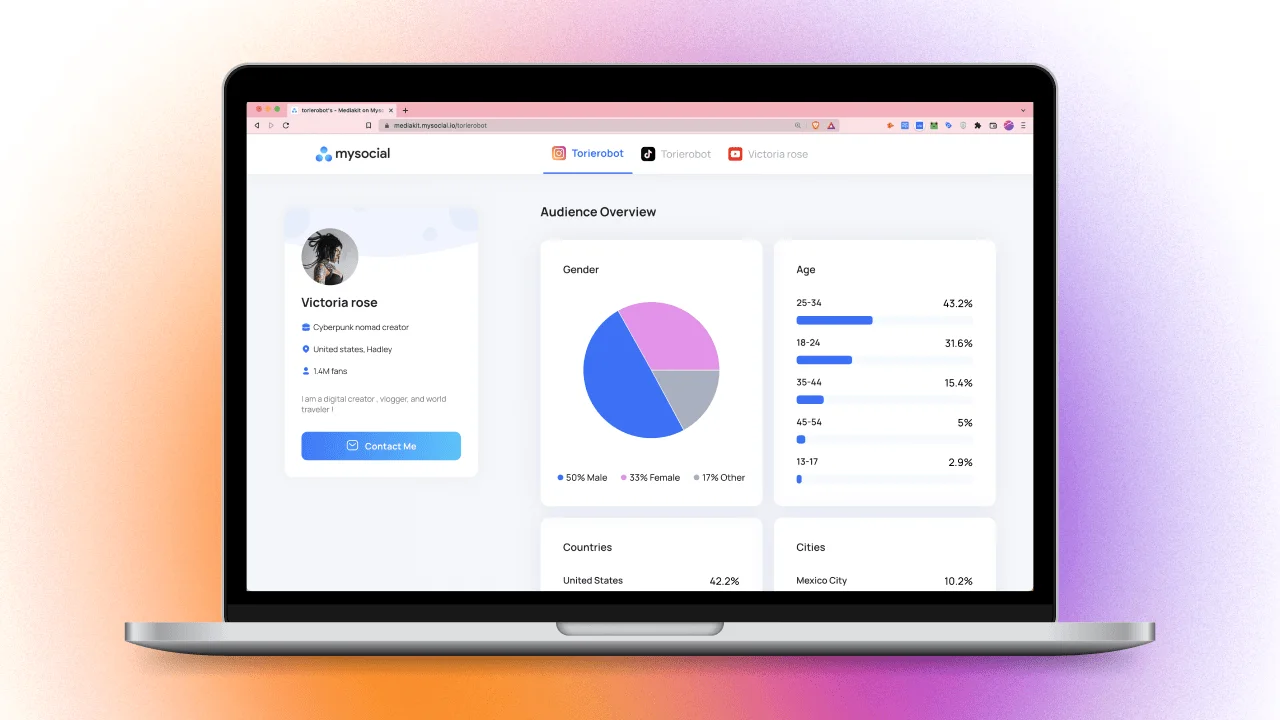
A media kit is a digital document — or interactive page — that presents your audience demographics, engagement metrics, content portfolio, rate card, and past brand collaborations. It is the professional equivalent of a resume for creator partnerships. 87% of brands request a media kit before entering sponsorship negotiations.
Every media kit needs 7 sections: a professional bio, audience demographics (age, gender, location), engagement and performance metrics, a content portfolio with your best work, a rate card with per-deliverable pricing, case studies or past brand logos, and clear contact information. Interactive media kits with live data get 40% more engagement from brands than static PDFs.
Creators with professional media kits earn 3x more from brand partnerships and command 25-40% higher sponsorship rates than creators without one. A well-structured media kit also helps close deals 2.5x faster because it eliminates the back-and-forth of brands asking for basic information.
Yes. Micro and nano-influencers with media kits are more likely to be taken seriously by brands. A media kit signals professionalism and business readiness — it tells brands you understand your numbers and are prepared for a paid collaboration, regardless of follower count.
Interactive, web-based media kits outperform static PDFs by 40% in brand engagement. They update automatically, include clickable links and embedded content, and save you from manually redesigning your PDF every time your numbers change. Tools like MySocial generate auto-updating media kits from your live platform data.
87% of brands ask for a media kit before they will even discuss a sponsorship deal (InfluenceFlow). If you do not have one — or yours is a screenshot of your Instagram insights pasted into Canva — you are leaving money on the table.
Creators with professional media kits earn 3x more from brand partnerships and close deals 2.5x faster than those without one. The difference is not just having a media kit. It is having one that gives brands exactly what they need to say yes.
This guide covers what to include, what brands actually look at, and how to build a media kit that works for you — whether you have 2,000 followers or 2 million.
87%
Of brands request a media kit before discussing deals
3×
More earnings for creators with professional media kits
40%
More engagement from interactive kits vs. static PDFs
72%
Of influencers now use formal rate cards
A media kit is the professional document (or interactive page) that presents everything a brand needs to evaluate you as a potential partner: who you are, who your audience is, how your content performs, what you charge, and what you have done for other brands.
Think of it as your creator resume — except instead of listing job experience, you are showing real numbers, real content, and real results.
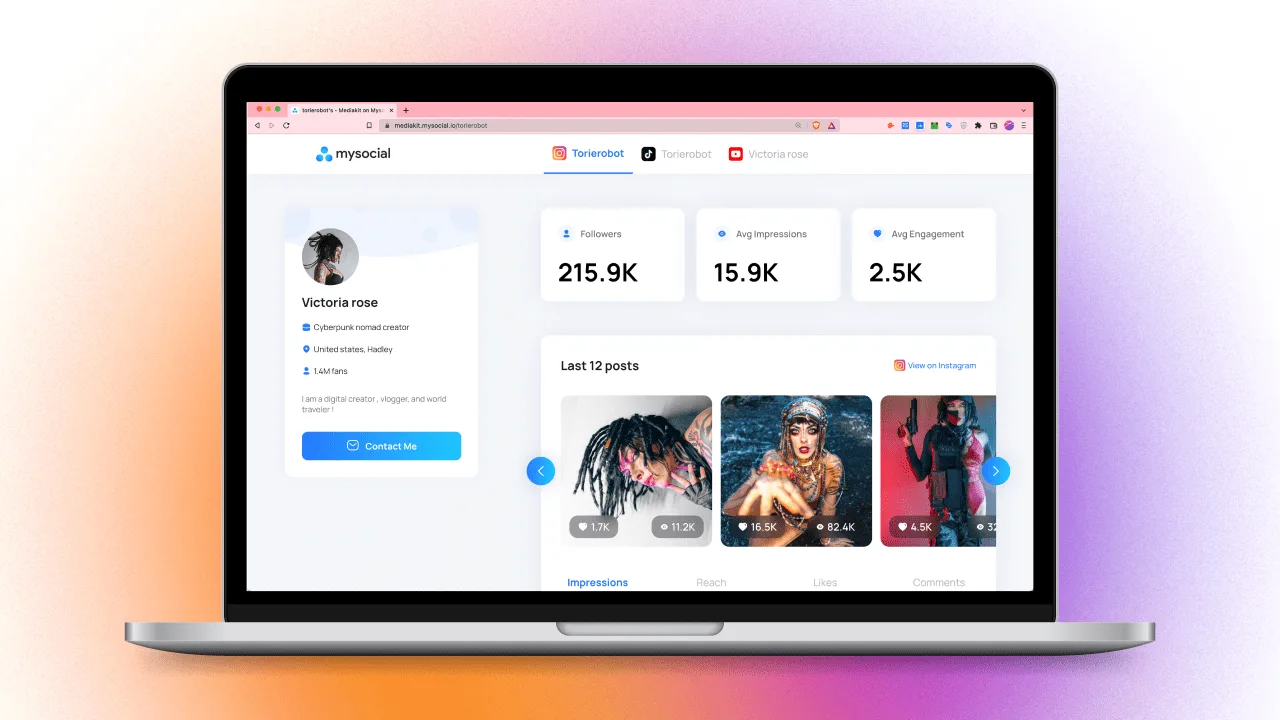
The best media kits are not static PDFs you update once a year. They are live, auto-updating documents that pull your latest analytics directly from Instagram, TikTok, and YouTube — so the numbers brands see are always current.
Media Kit Anatomy
Professional Bio
75-100 words — who you are, your niche, why brands should care
Audience Demographics
Age, gender, location, interests — with specific percentages
Engagement & Performance Metrics
Engagement rate, avg views, reach, saves, shares — not just follower count
Content Portfolio
3-6 best pieces showing range — Reels, carousels, videos, brand collabs
Rate Card
Per-deliverable pricing — posts, Reels, Stories, bundles, usage rights
Case Studies & Past Brands
Logos, campaign results, testimonials — prove you deliver ROI
Contact & Booking
Email, social handles, booking link — make it effortless to reach you
Step 01
Your bio is not your life story. It is a 75-100 word positioning statement that answers three questions.
• Who are you? — Your name, niche, and what you create
• Who is your audience? — The community you have built
• Why should this brand work with you? — Your unique angle or value
Example: 'Sarah Chen creates plant-based cooking content for 180K followers across Instagram and TikTok. Her audience is 72% women aged 25-34 who actively purchase wellness products. Brands like HelloFresh, Vitamix, and Thrive Market have partnered with Sarah, with campaigns averaging 6.2% engagement rates and 12K link clicks per post.'
✅ Tip: Lead with numbers, not adjectives. 'Award-winning content creator' means nothing to a brand manager. '6.2% engagement rate with 72% female audience aged 25-34' means everything.
Step 02
Demographics tell brands whether your audience matches their customer profile. Without this, brands are guessing — and they will not guess in your favor.
Include per platform:
• Age breakdown — e.g., '68% aged 18-34'
• Gender split — e.g., '72% female / 28% male'
• Top locations — top 3-5 countries or cities
• Interests / affinities — wellness, fashion, tech, gaming, etc.
✅ Tip: If you are pitching a local brand, highlight what percentage of your audience is in their city or country. If it is a global brand, show geographic diversity. Always tailor to the brand you are pitching.
Step 03
89% of brands prioritize engagement over follower count (InfluenceFlow). Vanity metrics are dead — brands want to know your content actually moves people to act.
Metrics to include:
• Engagement rate — (Likes + Comments + Shares) ÷ Followers × 100 — aim for 3-8% depending on your size
• Average views per post/reel — shows actual reach
• Saves and shares — the metrics algorithms reward most in 2026
• Video completion rate — brands prefer 60%+ (InfluenceFlow)
• Story reply rate and link click-through — if applicable
🚩 Do not inflate numbers. Brands use tools like HypeAuditor to detect fake engagement. A 4% real engagement rate is worth more than a 12% inflated one.
Step 04
Your portfolio is visual proof that you can create content a brand would be proud to associate with.
• Select 3-6 of your best pieces — show range across formats (Reels, carousels, YouTube videos, Stories)
• Include at least one branded collaboration if you have any
• Show the result, not just the content — add a line like 'This Reel generated 84K views and a 7.1% engagement rate'
• Keep it current — nothing older than 6 months
✅ Tip: If you have not worked with brands yet, create spec content. Shoot and edit a product video for a brand you admire, and include it as a portfolio sample. It proves your skill even without a formal deal.
Step 05
72% of influencers now use formal rate cards. A rate card eliminates awkward pricing conversations and signals that you treat this as a business.
Include per-deliverable pricing:
• Instagram: Feed post, Reel, Story set (3-5 frames), Carousel
• TikTok: Organic video, Spark Ad usage rights
• YouTube: Dedicated video, integration (30-60s), Shorts
• Bundles: e.g., '1 Reel + 3 Stories + 1 feed post — $X'
• Usage rights: Additional fee for whitelisting or running as paid ad
Need help calculating your rates? Use MySocial's pricing calculator or read our guides on pricing for Instagram, YouTube, and TikTok.
✅ Tip: List your starting rates but leave room for negotiation. Add a note like 'Pricing varies by scope, exclusivity, and usage rights — contact for custom quotes.'
Step 06
Creators with case studies and performance data command 2-3x higher rates than those without them (InfluenceFlow). Nothing builds trust faster than showing you have delivered results for other brands.
For each case study, include:
• Brand name and logo
• Campaign deliverables — what you created
• Key results — views, engagement rate, clicks, conversions, sales if available
• A one-line testimonial if the brand gave you one
✅ No brand deals yet? Include logos of brands you have organically tagged or reviewed. List platforms you are active on and the content formats you create. Even one strong spec campaign with documented metrics is better than an empty section.
Step 07
If a brand manager likes your media kit, do not make them search for how to reach you.
• Business email — dedicated, not your personal Gmail
• Social handles — linked directly to your profiles
• Booking link or calendar — Calendly or similar for scheduling calls
• Manager/agent contact — if you have representation
✅ Tip: Include a simple CTA at the end: 'Ready to collaborate? Email sarah@example.com or book a 15-minute call at calendly.com/sarah'
Interactive media kits get 40% more engagement from brands than static PDFs (InfluenceFlow). The difference matters because brands review dozens of kits — the one that is easiest to navigate wins.
Static PDF
Data goes stale immediately — you need to redesign every time your metrics change
No clickable links — brands cannot easily view your content
Fixed layout — cannot adapt to what each brand cares about
No tracking — you never know if a brand viewed it
Interactive / Web-Based
Auto-updating metrics — always shows your latest data
Clickable content — brands can view your actual Reels, videos, and posts
Embeddable links — share via URL, not file attachment
Mobile-friendly — looks great on any device, not just desktop
Brands reviewing media kits do not read every word. They scan for specific signals that tell them whether you are worth a deeper look.
What Brand Managers Prioritize in a Media Kit
% of brand managers
0% to 100%
Media kit element
Engagement Rate
89%Audience Demographics
78%Content Quality
73%Past Brand Results
67%Rate Card Clarity
58%Follower Count
31%Source: InfluenceFlow, 2026
Notice that follower count ranks last. Brands have learned that high follower counts do not guarantee results — especially with influencer fraud costing brands $1.3 billion annually. Engagement rate, audience match, and proven results are what close deals.
Open with a long bio — brands want numbers first, your story second
Use a static PDF that is 6 months old — outdated metrics are worse than no metrics at all
List follower count as your headline stat — it is the least important metric to brand managers
Skip the rate card — forcing brands to ask 'what are your rates?' adds friction and makes you seem unsure
Include every piece of content you have ever made — curate 3-6 best pieces, not a content dump
Forget contact info or use only a DM link — business email + booking link makes you easy to reach
Lead with metrics — put engagement rate, audience demographics, and reach above the fold
Use auto-updating data — tools like MySocial pull live analytics so your kit is never outdated
Include a rate card — even a starting range shows professionalism and saves time
Add case studies with numbers — '84K views, 6.1% ER, 2,300 link clicks' is more convincing than 'worked with Brand X'
Keep it scannable — brand managers review dozens of kits. Use clear sections, bold headlines, and visual hierarchy
Tailor it per pitch — highlight the demographics and content formats most relevant to the specific brand
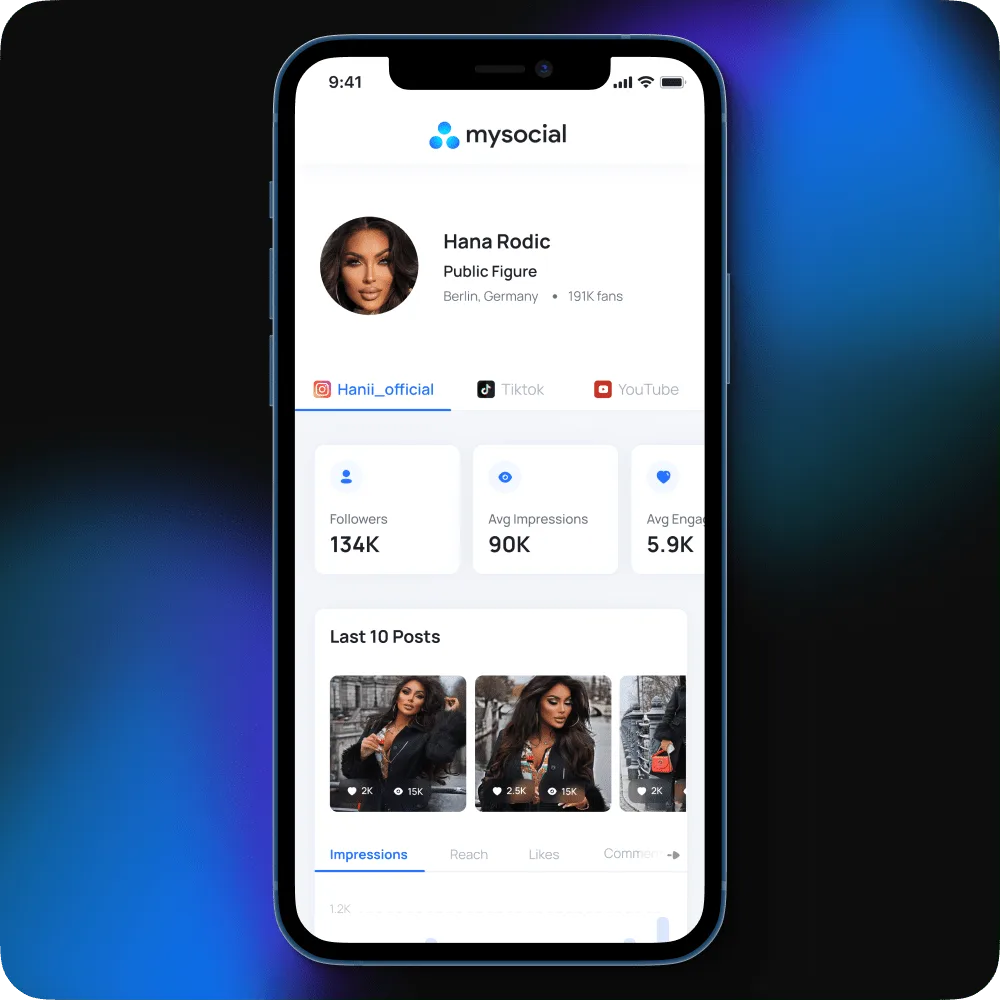
You do not need a graphic designer or a Canva subscription. MySocial auto-generates a professional media kit from your connected social platforms — with live analytics, audience demographics, and a shareable link.
Step 01
Link your Instagram, TikTok, and YouTube accounts. MySocial pulls your analytics, audience demographics, and content data automatically.
Step 02
Add your bio, rate card, and portfolio highlights. Choose what metrics to showcase. The data updates every day — you never need to manually refresh it.
Step 03
Get a shareable URL you can include in pitches, emails, and your social bios. Brands see a live, interactive media kit — not a stale PDF attachment.
How to Price Instagram Influencer Rates →
Calculate fair rates per Reel, Story, and carousel post
How to Get Brand Deals on Instagram →
The outreach playbook for landing your first (or next) sponsorship
How to Get Sponsored on Social Media →
The complete sponsorship strategy across platforms
How to Spot Fake Influencer Profiles →
Why brands vet your authenticity — and how to pass the check
MySocial auto-generates a professional, auto-updating media kit from your Instagram, TikTok, and YouTube data. Live analytics, audience demographics, and a shareable link — trusted by 50,000+ creators worldwide.
Build your media kitInfluencer Marketing Strategy
Related Posts
Compare top influencer marketing platforms by features, pricing, and use case. Find the right tool for discovery and ROI tracking.

The best tools for influencers to create content, find sponsors, grow followers, and manage social media like a pro.
A step-by-step 30-day content plan to post consistently on YouTube, Instagram, and TikTok without burning out.