Troubleshoot: Linking your Instagram to Mysocial
How to fix any issues when trying to link your Instagram to the Mysocial app


Quick answers
Open the MySocial app, go to your profile, tap Settings, and select "Delete My Account." Confirm your decision and submit the deletion request. The request is processed within 48 hours, after which your account is permanently deleted.
All posts, personal information, direct messages, and account settings are removed immediately. Some interaction data is retained for 30 days for legal and safety purposes, then permanently deleted. Account deletion cannot be reversed.
The deletion request is processed within 48 hours. After deletion, some anonymized interaction data is retained for 30 days for legal compliance. After that period, all remaining data is permanently removed from our servers.
If you’ve decided to delete your MySocial account, this guide walks you through the process. Account deletion is permanent — once completed, your data cannot be recovered.
Step 01
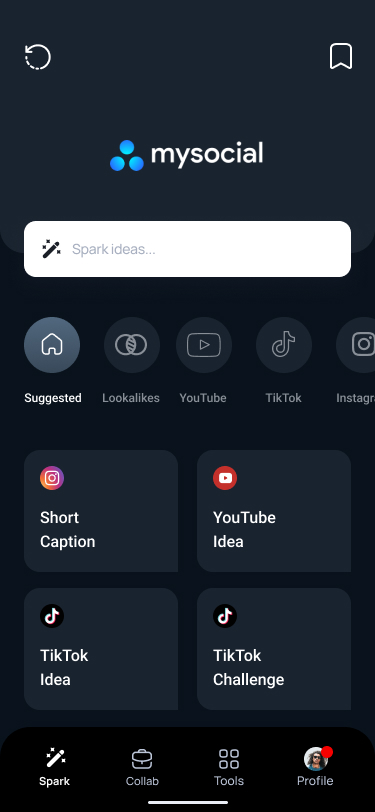
Launch the MySocial app on your device and make sure you're logged into the account you want to delete.
Step 02
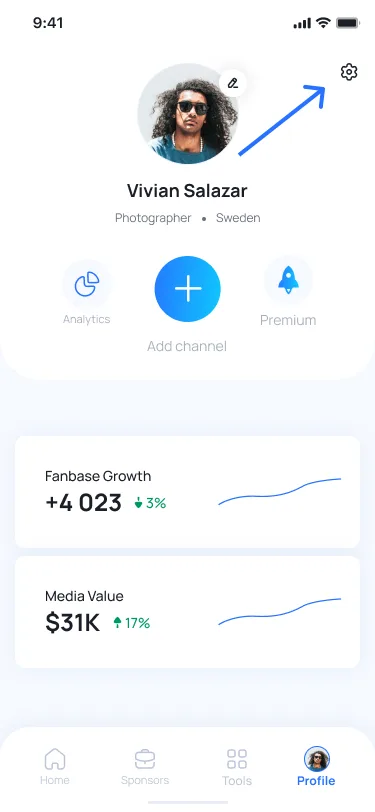
Tap the profile icon in the bottom right corner of the screen to open your profile page.
Step 03
Tap the gear icon in the top right corner of your profile page to open Account Settings.
Step 04
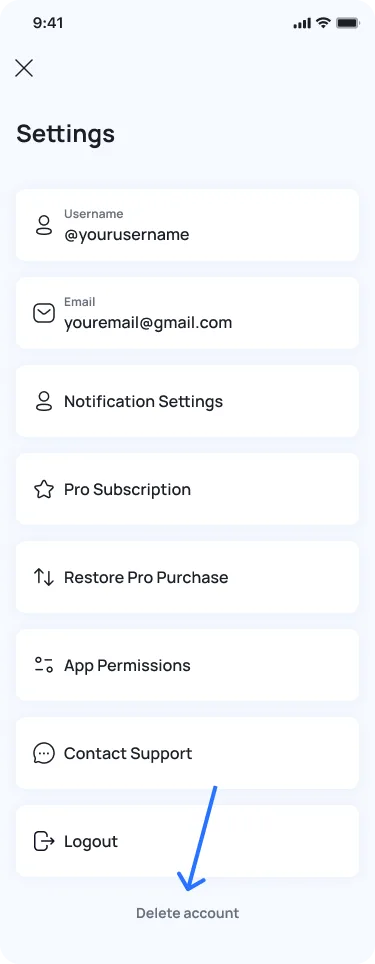
Scroll to the bottom of the Settings menu and tap Delete My Account. You may be asked to enter your password for security verification.
Step 05
Follow the on-screen prompts and tap Submit to send your deletion request. Your request will be processed within 48 hours.
When you delete your MySocial account:
Some interaction data (likes, comments, shares, and reports of terms-of-service violations) is retained for 30 days after deletion for legal and safety compliance. After the 30-day period, all remaining data is permanently removed from our servers.
If you run into any issues during the deletion process or have questions about your data, contact our support team at support@mysocial.io. If you change your mind before the 48-hour processing window completes, reach out to support immediately to cancel the request.
Support & Troubleshooting
Related Posts
How to fix any issues when trying to link your Instagram to the Mysocial app