
Influencer UTM Tracking: Free Batch Link Builder
Build a creator campaign link sheet with our free batch UTM builder. Tag each platform and placement, download CSV and test GA4 reporting before launch.

Quick answers
An influencer media kit is a document or web page that helps a brand assess a creator partnership. It brings together your bio, audience demographics, recent performance, content examples, collaboration options, and contact details. Add the date range and source for your metrics so readers can interpret them.
Use seven sections: a short bio, audience demographics, performance metrics, selected content, a rate card or quoting process, past campaign results, and contact details. Show actual platform data and explain what each metric measures. If you have not had a paid partnership, label portfolio samples clearly.
A media kit helps a brand evaluate your audience, work, and collaboration terms without asking for each detail separately. It does not guarantee sponsorships or higher earnings. Match the kit to the brand you are pitching, support your claims with evidence, and keep your contact information easy to find.
A small creator can use a media kit to show a relevant audience, a clear niche, and strong content samples. Use your actual numbers rather than borrowing larger creators' benchmarks. If you have no campaign results yet, explain what you can create and label any unpaid portfolio examples.
Use a PDF when a brand requests an attachment or needs a fixed snapshot. Use a web page when you want a shareable link and easier updates. Both can contain links. A connected tool such as Mysocial can refresh supported platform metrics automatically; check available data and the latest refresh date.
An influencer media kit gives a potential sponsor a clear view of your audience, content, and collaboration options. It should help them answer a practical question: is this creator a good fit for this campaign?
This guide covers seven sections to include, how to present your metrics honestly, and when a PDF or a live page makes sense. A media kit supports your pitch; it does not guarantee a deal or a particular sponsorship rate.
A media kit is the professional document (or interactive page) that presents everything a brand needs to evaluate you as a potential partner: who you are, who your audience is, how your content performs, what you charge, and what you have done for other brands.
Think of it as your creator resume — except instead of listing job experience, you are showing real numbers, real content, and real results.
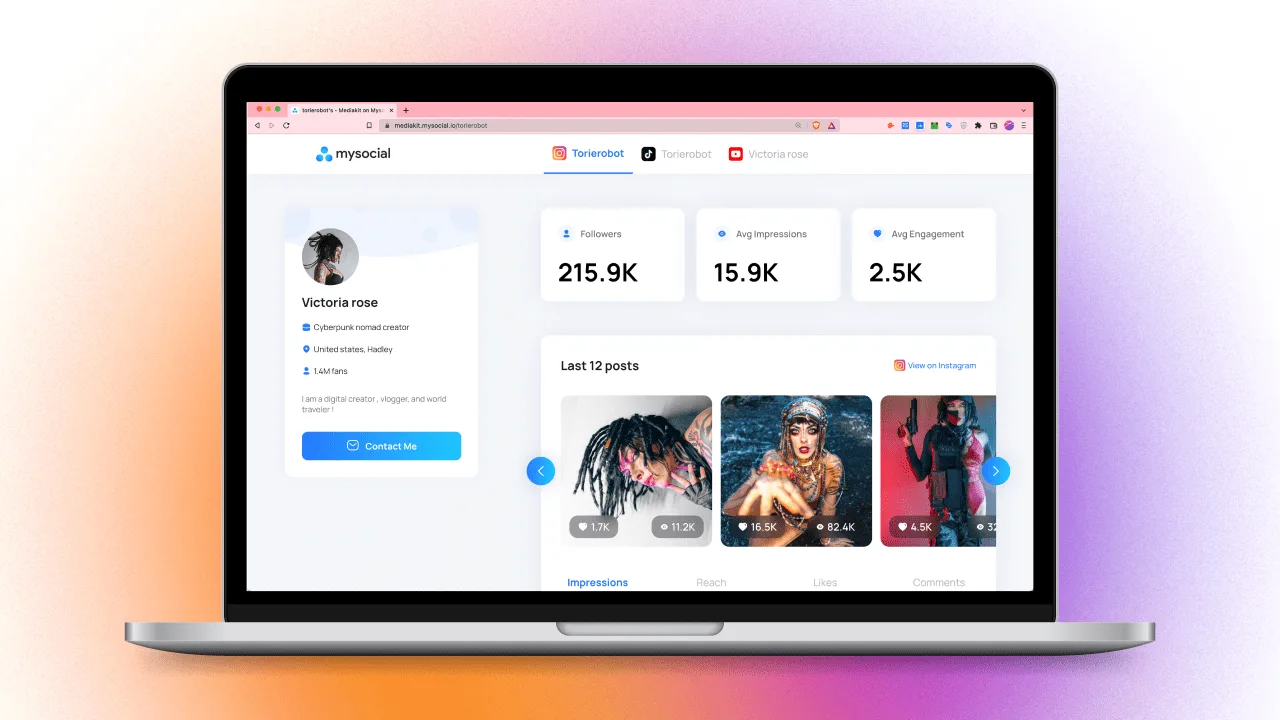
Choose a format you can keep accurate. A dated PDF works as a snapshot; a connected web page can refresh supported analytics without a new export. For platform-specific evidence, YouTube’s official Media Kit guidance includes channel statistics, audience demographics, and selected videos. Meta describes creator portfolios as a way to highlight what makes a creator unique. Neither source promises a fixed earnings uplift.
For more guidance on presenting your work to partners, explore our influencer marketing guides.
Media Kit Anatomy
Professional Bio
75-100 words — who you are, your niche, why brands should care
Audience Demographics
Age, gender, location, interests — with specific percentages
Engagement & Performance Metrics
Engagement rate, avg views, reach, saves, shares — not just follower count
Content Portfolio
3-6 best pieces showing range — Reels, carousels, videos, brand collabs
Rate Card
Per-deliverable pricing — posts, Reels, Stories, bundles, usage rights
Case Studies & Past Brands
Logos, campaign results, testimonials — prove you deliver ROI
Contact & Booking
Email, social handles, booking link — make it effortless to reach you
Step 01
Your bio is not your life story. It is a 75-100 word positioning statement that answers three questions.
• Who are you? — Your name, niche, and what you create
• Who is your audience? — The community you have built
• Why should this brand work with you? — Your unique angle or value
Fill-in example: '[Name] creates [type of content] for [audience] on [platforms]. In [date range], the channel reached [verified reach] and averaged [metric, with its denominator explained]. Previous paid work includes [campaigns you can substantiate].'
✅ Tip: Replace every placeholder with your own evidence. Do not infer purchasing intent from age or gender, and do not name a brand as a partner without a real collaboration.
Step 02
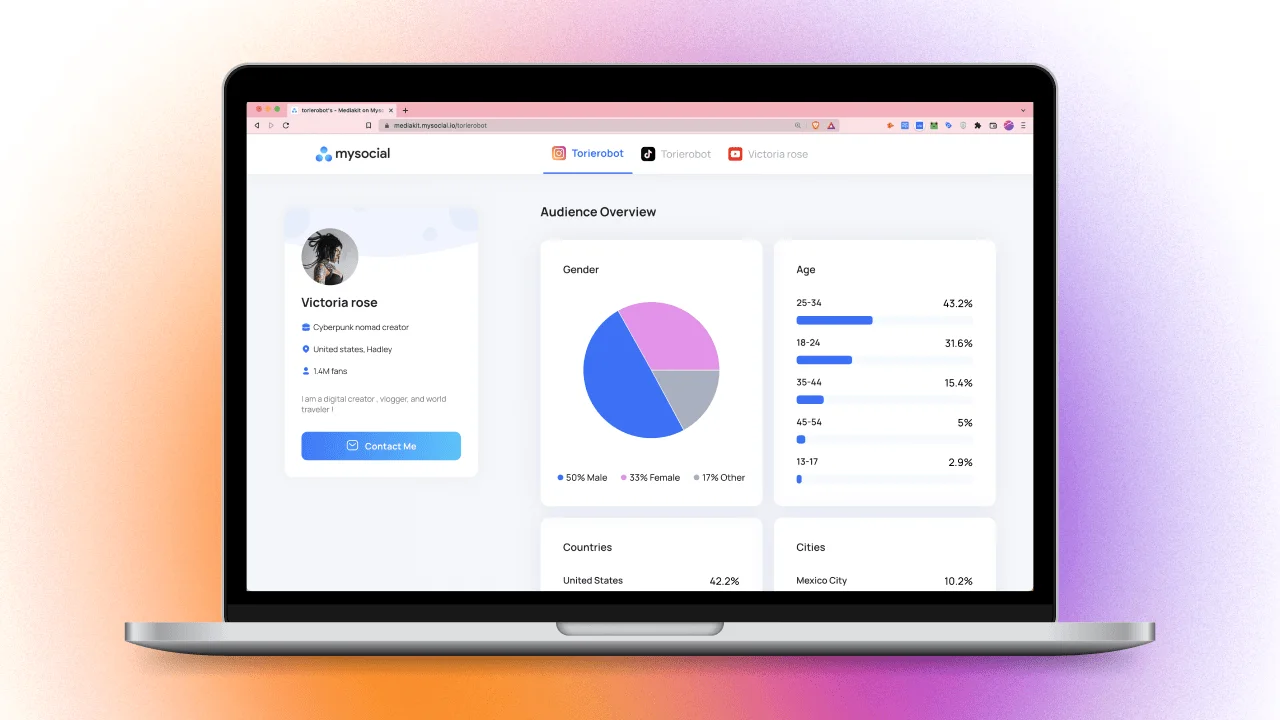
Demographics tell brands whether your audience matches their customer profile. Without this, brands are guessing — and they will not guess in your favor.
Include per platform:
• Age breakdown — e.g., '68% aged 18-34'
• Gender split — e.g., '72% female / 28% male'
• Top locations — top 3-5 countries or cities
• Interests / affinities — wellness, fashion, tech, gaming, etc.
✅ Tip: If you are pitching a local brand, highlight what percentage of your audience is in their city or country. If it is a global brand, show geographic diversity. Always tailor to the brand you are pitching.
Step 03
Show how your content performs alongside follower count. State the reporting period, platform, sample size, and calculation so a brand can compare like with like.
Metrics to include:
• Engagement rate — name the interactions included and whether the denominator is followers, reach, or views
• Average views per post — keep views separate from unique reach
• Saves and shares — where the platform reports them
• Watch time or completion — where available; avoid presenting a universal benchmark as a requirement
• Link clicks or conversions — only when you can measure and substantiate them
🚩 Do not inflate numbers. Explain unusual spikes and unavailable data. Our guide to checking creator authenticity covers the signals a brand may investigate.
Step 04
Your portfolio is visual proof that you can create content a brand would be proud to associate with.
• Select 3-6 of your best pieces — show range across formats (Reels, carousels, YouTube videos, Stories)
• Include at least one branded collaboration if you have any
• Show the result, not just the content — add the actual views, reporting period, and engagement calculation
• Keep it current — nothing older than 6 months
✅ Tip: If you have not worked with brands yet, create spec content. Shoot and edit a product video for a brand you admire, and include it as a portfolio sample. It proves your skill even without a formal deal.
Step 05
A rate card or a clear quoting process helps a brand understand your collaboration terms. Separate the content deliverable from licensing, exclusivity, and paid advertising rights.
Include per-deliverable pricing:
• Instagram: Feed post, Reel, Story set (3-5 frames), Carousel
• TikTok: Organic video, Spark Ad usage rights
• YouTube: Dedicated video, integration (30-60s), Shorts
• Bundles: e.g., '1 Reel + 3 Stories + 1 feed post — $X'
• Usage rights: Additional fee for whitelisting or running as paid ad
Need help setting your rates? Read our guides on pricing for Instagram, YouTube, and TikTok.
✅ Tip: List your starting rates but leave room for negotiation. Add a note like 'Pricing varies by scope, exclusivity, and usage rights — contact for custom quotes.'
Step 06
A case study gives a brand evidence of what you created and what happened. Keep observed results separate from claims about sales or return on investment you cannot verify.
For each case study, include:
• Brand name and logo
• Campaign deliverables — what you created
• Key results — views, engagement rate, clicks, conversions, sales if available
• A one-line testimonial if the brand gave you one
✅ No brand deals yet? Include your own portfolio work and label unpaid or spec content clearly. Do not present an organic mention as a paid partnership. Use brand logos or testimonials only with the appropriate permission.
Step 07
If a brand manager likes your media kit, do not make them search for how to reach you.
• Business email — dedicated, not your personal Gmail
• Social handles — linked directly to your profiles
• Booking link or calendar — Calendly or similar for scheduling calls
• Manager/agent contact — if you have representation
✅ Tip: Include a simple CTA at the end: 'Ready to collaborate? Email sarah@example.com or book a 15-minute call at calendly.com/sarah'
A PDF and a web page solve different sharing needs. Pick the format your recipient can use, then check the dates, links, and access before sending it.
Static PDF
A fixed snapshot — update the figures and export a new version when needed
Can include clickable links — test them in the exported file
Can be tailored per brand before export; the recipient sees that saved version
View tracking depends on the sharing service, rather than the PDF alone
Interactive / Web-Based
Connected metrics — supported data can refresh; check the update date
Clickable content — brands can view your actual Reels, videos, and posts
Embeddable links — share via URL, not file attachment
Responsive layout — check that the page works on mobile before sharing
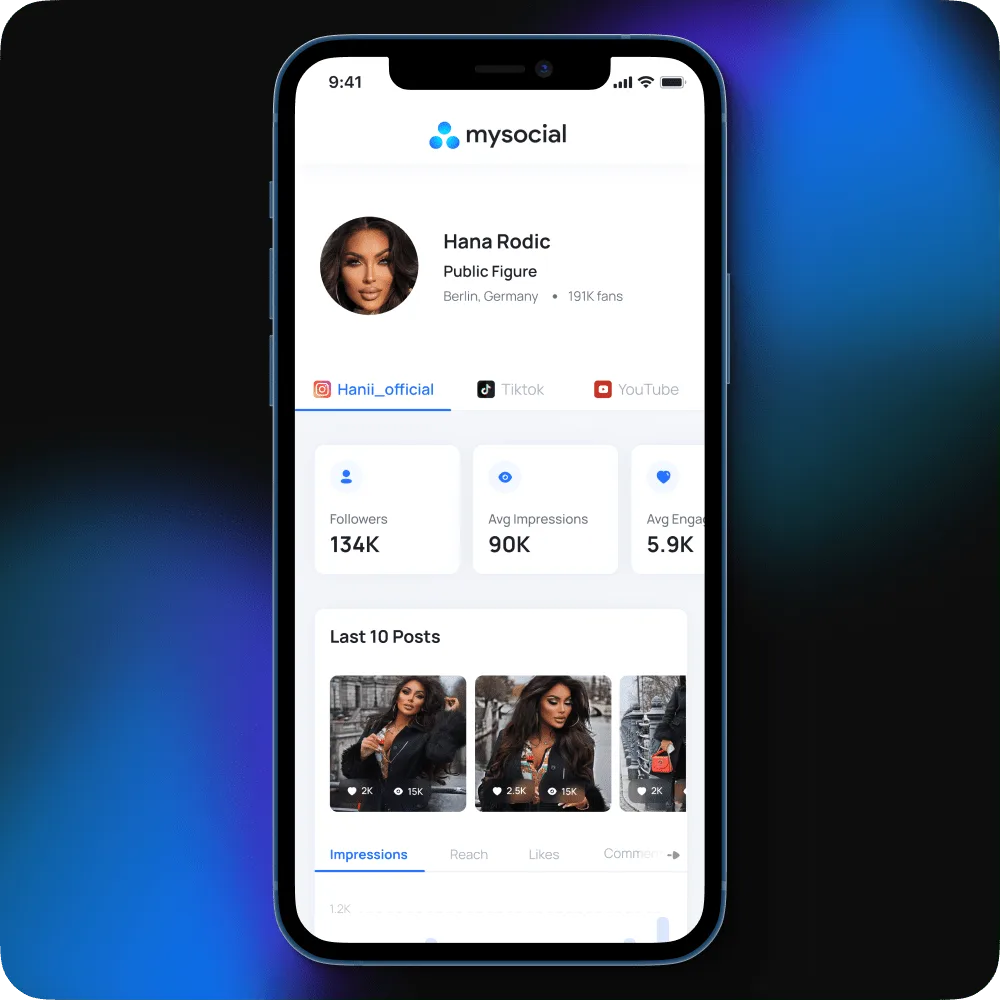
Brands reviewing media kits do not read every word. They scan for specific signals that tell them whether you are worth a deeper look.
Make these checks easy: does the audience match the campaign, is the content relevant, are the metrics current and clearly defined, and can the brand understand the deliverables and contact you? These are practical review questions, not a measured ranking of every brand manager’s priorities.
Follower count provides context, but it does not establish campaign results by itself. Back up performance claims with the reporting period and the original platform data.
What makes brands close the tab
Open with a long bio — brands want numbers first, your story second
Use a static PDF that is 6 months old — outdated metrics are worse than no metrics at all
List follower count as your headline stat — it needs context from audience fit and actual performance
Skip the rate card — forcing brands to ask 'what are your rates?' adds friction and makes you seem unsure
Include every piece of content you have ever made — curate 3-6 best pieces, not a content dump
Forget contact info or use only a DM link — business email + booking link makes you easy to reach
What makes a media kit convert
Lead with metrics — put engagement rate, audience demographics, and reach above the fold
Use auto-updating data — tools like Mysocial can refresh supported analytics; check the latest update
Include a rate card — even a starting range shows professionalism and saves time
Add case studies with numbers — show measured results, reporting periods, and the source rather than unsupported success claims
Keep it scannable — use clear sections, bold headlines, and visual hierarchy
Tailor it per pitch — highlight the demographics and content formats most relevant to the specific brand
You do not need a graphic designer or a Canva subscription. Mysocial auto-generates a professional media kit from your connected social platforms — with live analytics, audience demographics, and a shareable link.
Step 01
Link your Instagram, TikTok, and YouTube accounts. Mysocial pulls your analytics, audience demographics, and content data automatically.
Step 02
Add your bio, rate card, and portfolio highlights. Review the available metrics and their reporting periods. Supported statistics refresh automatically; update your own pricing and campaign examples when they change.
Step 03
Get a shareable URL you can include in pitches, emails, and your social bios. Brands see a live, interactive media kit — not a stale PDF attachment.
How to Price Instagram Influencer Rates →
Calculate fair rates per Reel, Story, and carousel post
How to Get Brand Deals on Instagram →
The outreach playbook for landing your first (or next) sponsorship
How to Get Sponsored on Social Media →
The complete sponsorship strategy across platforms
How to Spot Fake Influencer Profiles →
Why brands vet your authenticity — and how to pass the check
Your social memory, connected
Connect your social accounts, review your available analytics, and share a media kit with brands. Keep your portfolio, rates, and campaign examples current.
Free to start. One channel is enough to begin.
Mysocial connects YouTube, Instagram, TikTok, LinkedIn and Threads to one Content Memory that Claude and ChatGPT can use.
Influencer Marketing Strategy
Related Posts
Build a creator campaign link sheet with our free batch UTM builder. Tag each platform and placement, download CSV and test GA4 reporting before launch.
Find small influencers for your brand. Compare audience fit, recent reach, engagement quality and campaign costs before choosing nano or micro-creators.

14 social media MCP servers, four different jobs. Postiz wins publishing, Supermetrics wins reporting — and Mysocial wins the one nobody else does.